BlockFlow app guide
A short walk through the app window: what lives where and what to click.
Modpacks
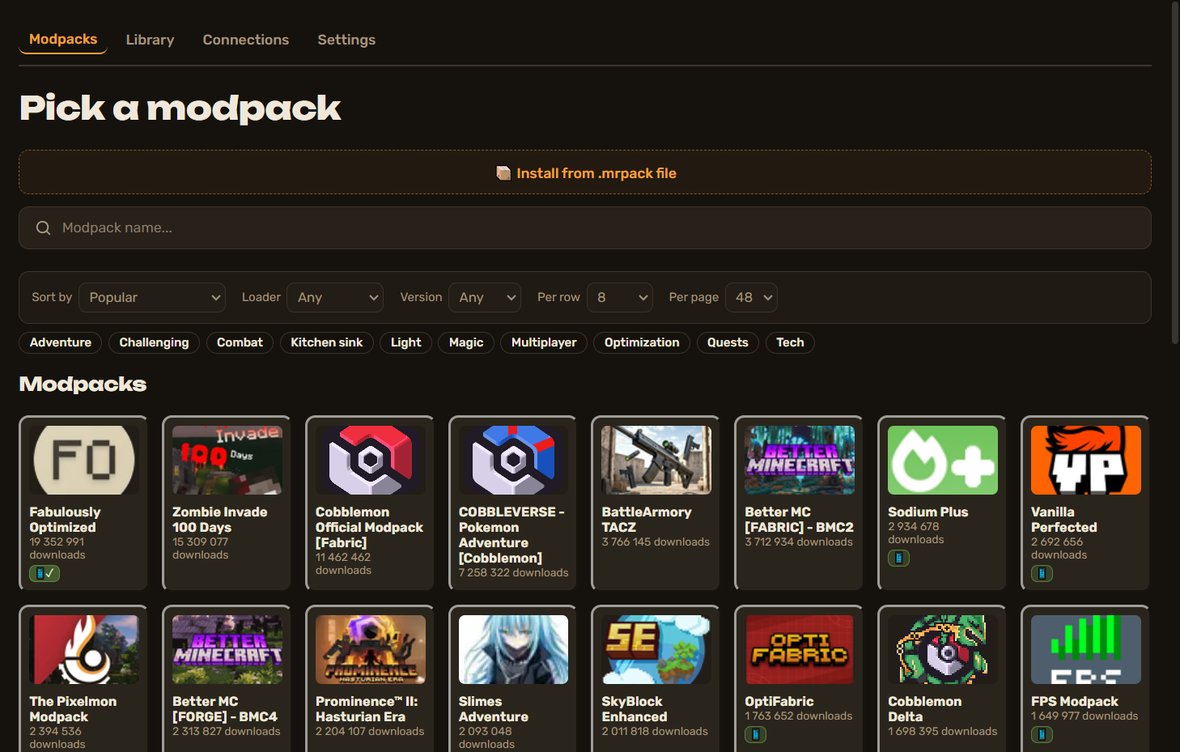
A catalog of Modrinth modpacks: find, preview and install in one click.
- Search by name and filter by loader, version and category.
- “Per row” sets how many cards fit in a row; “Auto” follows the window size.
- Your own pack from an .mrpack file — the button above the search.
- The 📱 badge means the pack is already checked on a tablet.
Library
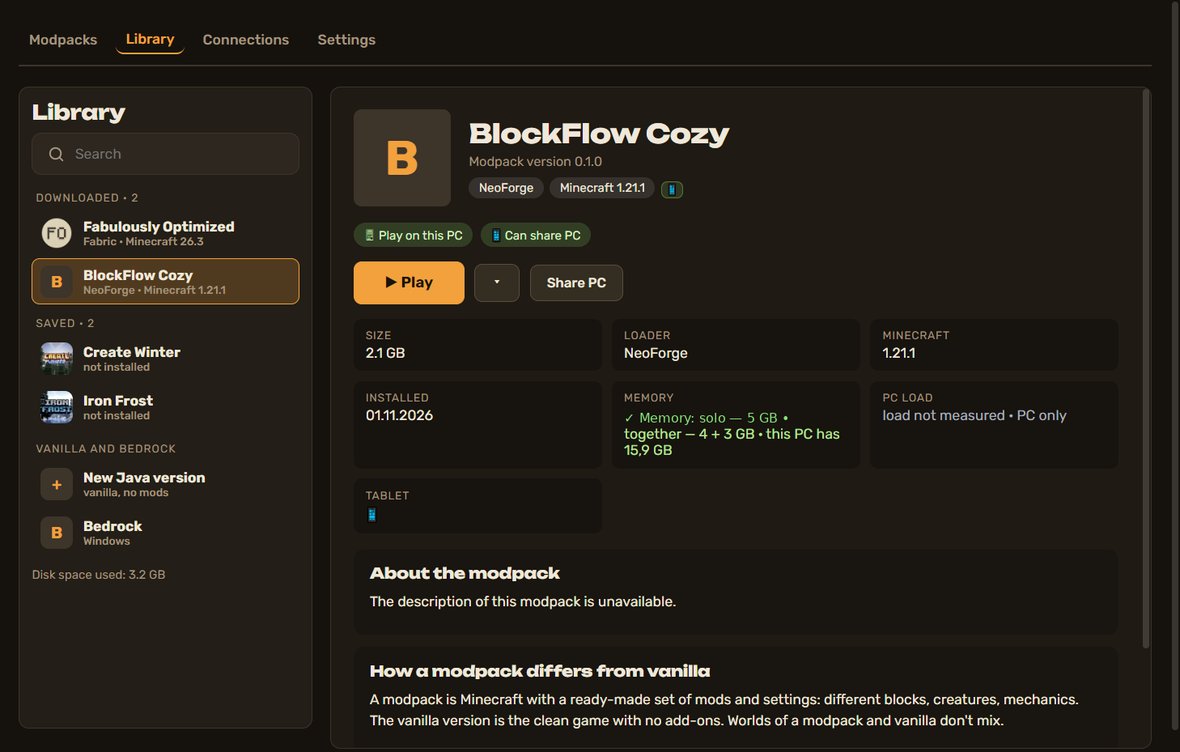
Everything you installed in one place: list on the left, modpack page on the right.
- Three sections: Downloaded, Saved, Vanilla & Bedrock.
- “Play” asks where to play: on this PC, on a tablet or in the cloud (soon); you can remember the choice and change it with the arrow button. While it starts there is “Cancel launch”, and while the game runs the button says “In game” and “Close game” appears.
- “Share PC” opens the QR and code in the Connections tab.
- A new modpack version shows a green bar; it installs alongside, worlds stay untouched.
- World backup history and delete are at the bottom of the page.
Vanilla & Bedrock
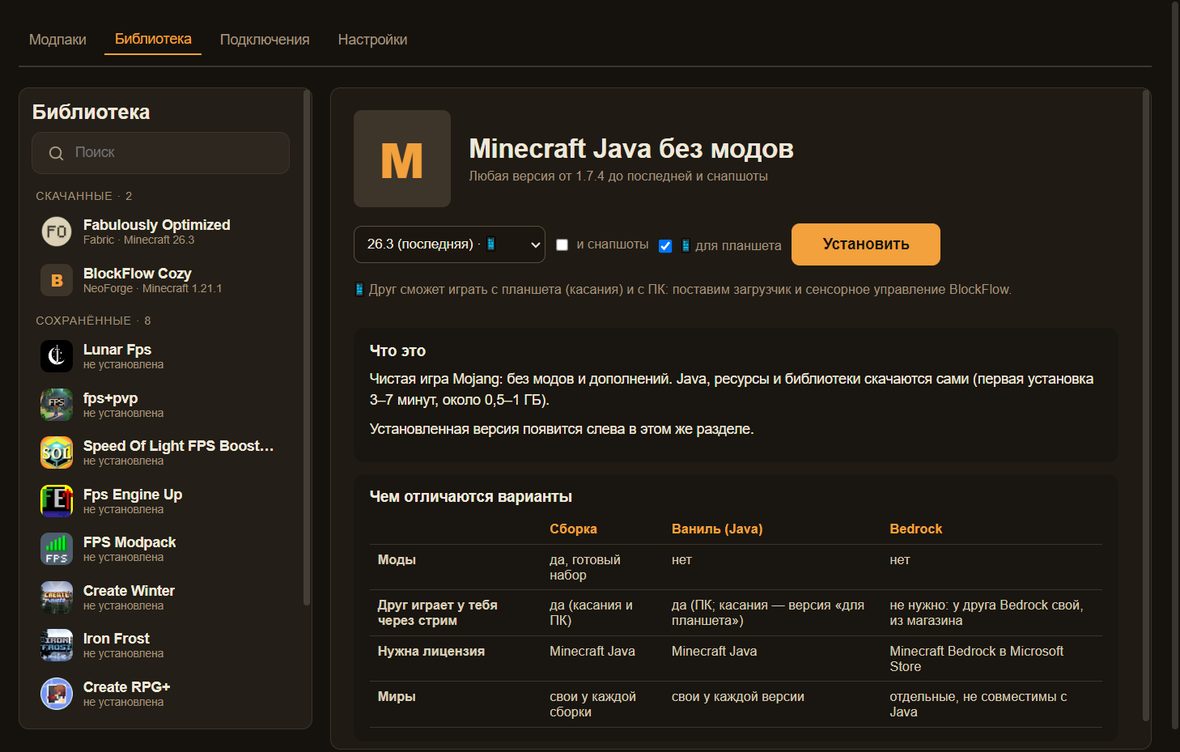
BlockFlow is a regular launcher too.
- Any Minecraft Java version without mods, in two clicks.
- The “for tablet” option adds touch controls for your friend.
- Bedrock on the PC launches from here; we do not stream Bedrock to a friend — they install it themselves.
Connections
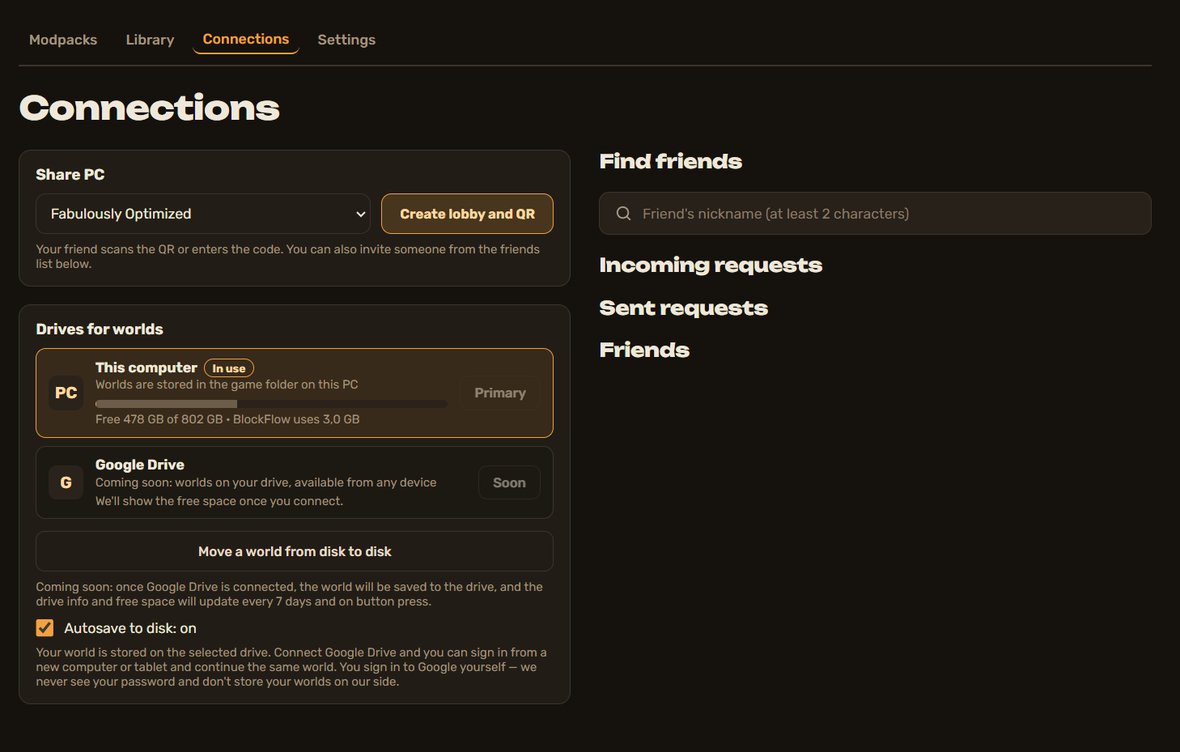
Everything about playing together in one place.
- “Share PC”: pick a modpack and get a QR and a code.
- A friend nearby scans the QR; a friend on another network enters the code from a link.
- Find friends by nickname, requests, and an “Invite” button for each friend.
- “Stop” closes the friend’s game at any moment, even while it is still loading.
- “Drives for worlds”: see where worlds live and how much space is left, switch auto-save on or off and open the window for moving a world from one drive to another. Google Drive — soon.
Settings
Stream quality, PC load, devices and account.
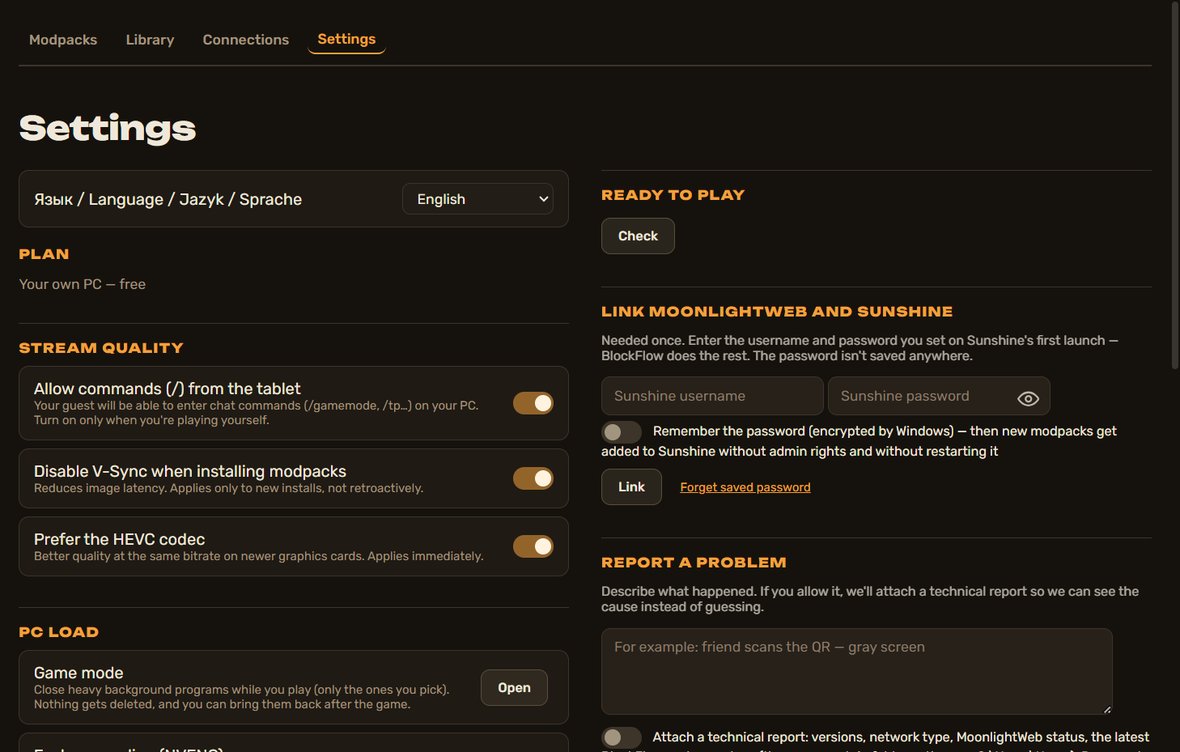
- Stream quality and game mode (close heavy background apps).
- Sign in on your phone with a QR code, no password.
- “Ready to play” checks that everything is set for co-op.
- “Report a problem” — with a technical report if you allow it.
- “Log out” sits at the very bottom and asks for confirmation.
- You can turn off V-Sync when installing modpacks for a lower picture delay.